Vox-style videos
Vox-style videos: what they are and how to make one
What Vox-style videos are, where the paper-collage look comes from, three ways to make one, nine example ads and the step-by-step process we use.
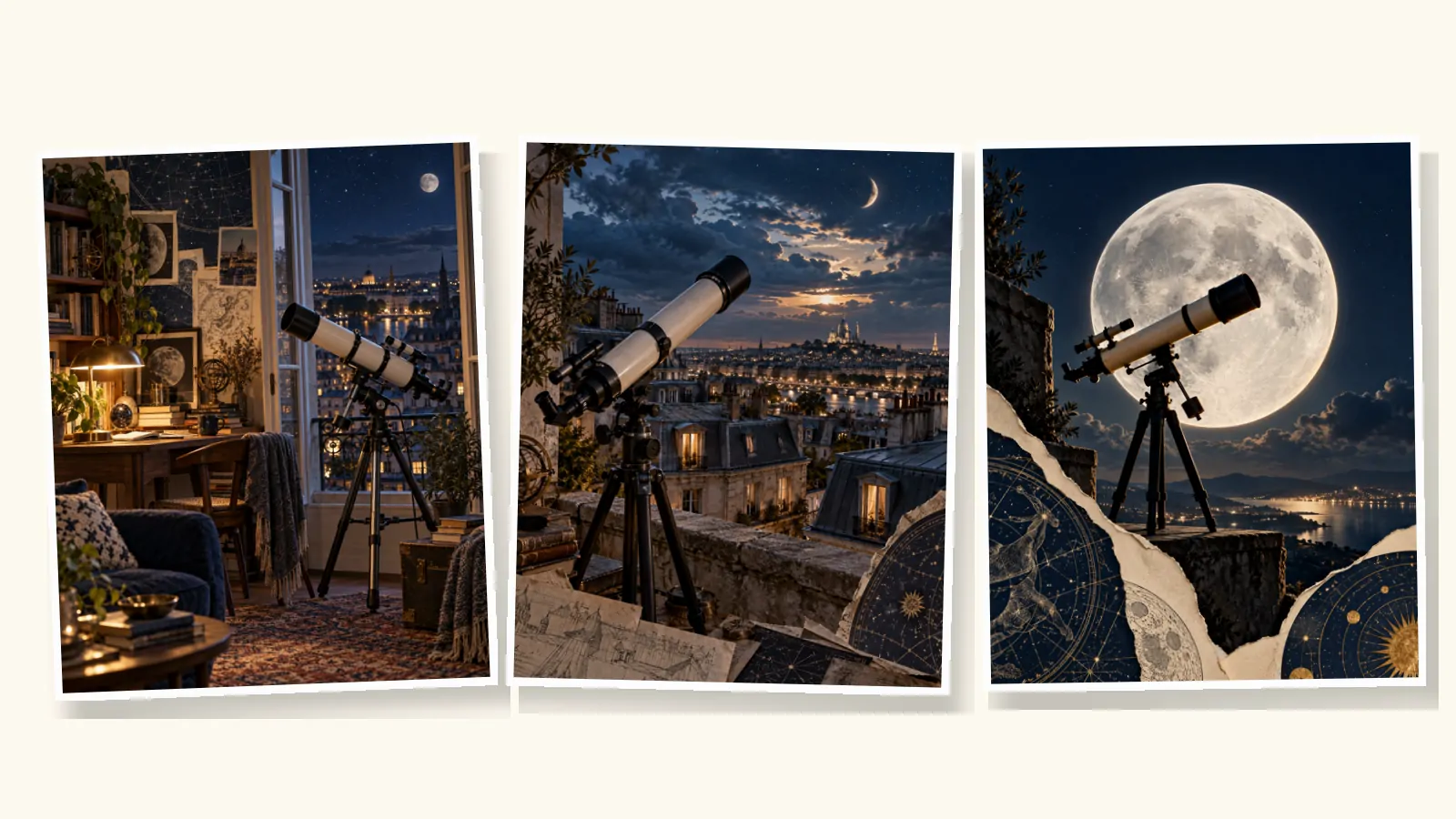
Vox-style videos are short explainers and ads built from paper collage: photographs and illustrations cut out and layered on textured paper, moved with simple motion, narrated by a calm, direct voice and punctuated by short highlighted words on screen. The style takes its name from Vox, whose explainer videos made it familiar.
This guide covers what makes a video Vox-style, where the look comes from, three ways to make one, and the step-by-step process we use. It includes nine example ads we produced while building vox.style. The companion guides go deeper on the animation techniques, writing the script, making Vox-style ads and what it costs. Newer guides cover the motion graphics, an animation tutorial, the AI workflow and its prompts, 20 video ideas and the documentary form.
What is a Vox-style video?
A Vox-style video explains one idea through a sequence of collage scenes, each carrying one line of narration and, often, one short label. It looks researched rather than produced: real photographs, archival texture, handmade edges. It sounds like someone talking to you, not at you.
The format works for explainers, product stories, ads, brand films and short documentaries. What changes is the subject; the grammar stays the same.
Where the look comes from
Vox launched in April 2014) as an explanatory news site and published videos on YouTube from the start. Its video team built series around a recognisable look: collage, archival imagery, maps, highlighted text and a narrator who walks you through an argument. Johnny Harris's Borders, Sam Ellis's Vox Atlas and Estelle Caswell's Earworm all used it, and Netflix's Explained), produced by Vox Media from 2018, brought it to television.
The techniques themselves are older. Cutout animation dates back to the 1920s, and collage to long before that. What Vox added was a consistent editorial grammar for explaining things. Our guide to Vox-style animation covers the history and the seven techniques in detail.
More recently, the same look has spread to social ads, as AI image and animation tools made collage scenes faster to produce. That is where most people searching for "Vox-style videos" now meet it.
What makes a video Vox-style
Five ingredients, used together.
- Collage scenes. Photographic cutouts on paper, torn edges, visible layers, archival fragments. Believable perspective and light, even when the arrangement is surreal.
- Narration. A single voice, conversational and direct. It asks questions, admits doubts and explains.
- Highlighted labels. Two to six words per scene in bold type on a solid highlight. They carry the story when the sound is off.
- One idea per scene. Every scene has a single job tied to a single line. This is the rule most imitations break.
- Editorial structure. A question first, then context, then the answer. In ads, the pitch arrives after the viewer has a reason to care.
Restrained motion ties it together: slow push-ins, parallax between layers, reveals where a sheet peels back or a sketch becomes a photograph.
Nine examples
We produced these nine ads by hand while building vox.style, using AI image, animation and voice models with human review at every step. The products and brands are fictional, and every ad promotes vox.style itself. They range from 50 to 74 seconds.
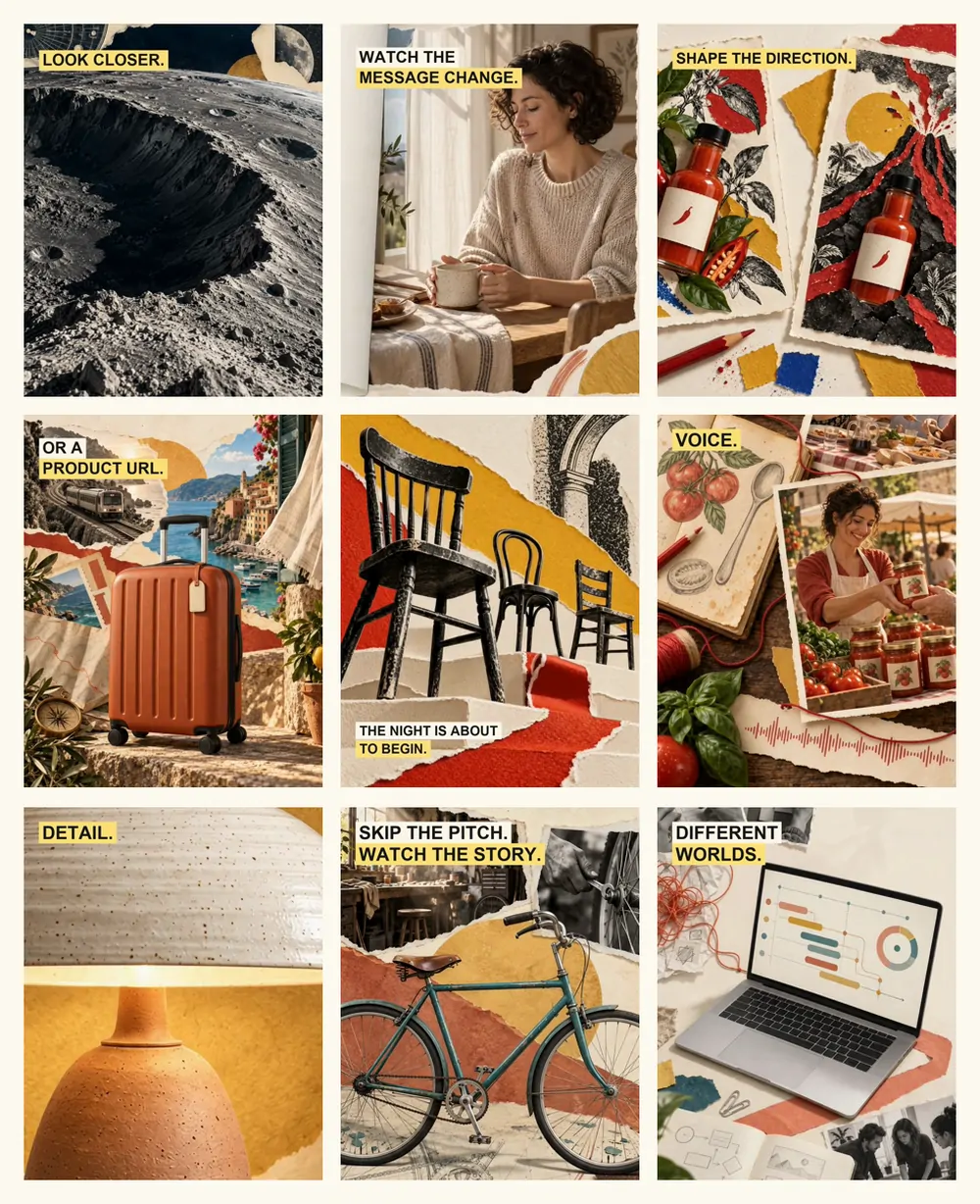
Here is one in full. The coffee ad tells three stories, a physical product, a digital product and a personal journey, in one minute.
Notice what it doesn't do: no logo in the first seconds, no presenter, no list of features before the story. The first line admits it is an ad, and the collage does the rest.
Why brands use Vox-style videos
The look borrows the credibility of explainer journalism. People associate it with learning something, which buys a few seconds of attention that a conventional ad often doesn't get. We haven't published performance data, and we'd be cautious with anyone quoting universal numbers. The practical advantages are clear, though.
- No shoot, no presenter. Every scene is built from images, so there is no filming, casting or avatar.
- It works muted. Labels carry the message for viewers who never turn the sound on.
- It explains and sells at once. A single collage can show where a product comes from, how it works and who it is for.
- It scales across formats. The same scenes can be laid out for 9:16, 4:5, 1:1 and 16:9.
The risk is an editorial look that never gets to the point. The Vox-style ads guide shows the six-beat structure we use to keep an ad moving toward its pitch.
What you can make in the Vox style
The same grammar adapts to very different jobs. These are the uses we designed our examples around.
- Product ads. Put the product inside a small story instead of in front of a white background. Our hot sauce ad turns one drop into a small eruption; the telescope ad turns a telescope into a ticket out of the city.
- Digital products and apps. Software is hard to film. Collage lets you show the problem, the screen and the person using it in one frame, as the middle section of our coffee ad does with a planning tool.
- Announcements for local businesses. A venue, a shop or a studio can invite people to picture the moment. Our music venue ad fills an empty room before the first note of a Friday night.
- Explainers. One question, three chapters, one takeaway. Collage is ideal for history, process and comparison, because a single scene can hold a map, a photograph and a diagram.
- Personal stories and short documentaries. A founder's first market stall, a restored bicycle, a family recipe. Archival texture makes a personal story feel considered rather than staged. The Vox-style documentary guide covers structure, sourcing and archive rights.
Whatever the use, decide what the viewer should take away before you choose images. The collage serves the line, not the other way round. For more starting points, see our 20 Vox-style video ideas, each with a hook and a scene outline.
Three ways to make a Vox-style video
| Route | Best for | Time | Cost |
|---|---|---|---|
| By hand: After Effects, Canva or CapCut | Full creative control, learning the craft | Days to weeks | Tools from about $18 a month |
| AI tool chain | Technical users comfortable assembling several tools | Hours to days | Pay per image, clip and voice |
| AI video maker | Teams that want a finished video and control at each step | Same day | Credits or subscription |
1. By hand
The classic route is After Effects: build each collage from photographs and scanned paper, animate the layers, add type and narration. It gives complete control and teaches you the craft, but every scene is manual work. Canva and CapCut tutorials can get a convincing look for intros and short clips with far less effort, with less control over motion. Our Vox-style animation tutorial walks through one scene in After Effects, CapCut and with AI.
2. An AI tool chain
Many recent tutorials combine separate tools: a language model writes the script and scene prompts, an image model generates each collage, an image-to-video model animates them, a text-to-speech model reads the narration, and an editor assembles the result. It is flexible and can be cheap per video. The cost is coordination: keeping style and characters consistent across tools, catching errors in each output, and avoiding paying to re-generate whole sequences when one scene fails. Our guide to making a Vox-style video with AI shows the prompts we use at each step.
3. An AI video maker
An AI video maker runs those steps in one place. In vox.style you start with an idea, your own script or a product URL. The app drafts a script you can edit, suggests a voice, generates scenes in the style you choose, and lets you review the scene images before the full video is made. You see the exact credit cost before you confirm.
How we make a Vox-style video, step by step
This is the process behind our nine ads. The full scene-by-scene log of one of them, including the scenes we rejected, is in the Vox-style ads guide.
Step 1: Write a one-sentence brief
Our telescope ad started from one line: "Make a telescope feel like a ticket out of the city." If you can't say what the video should make someone feel or understand in one sentence, the scenes won't know either.
Step 2: Write the script before any images
Plan for about 150 spoken words per minute and give each scene one line. Open with the viewer's doubt or question, not your brand. Our script guide has the six-beat structure and templates for 15, 60 and 120 seconds.
Step 3: Plan the scenes
Turn each line into one scene with one visual idea. Note what the narration names, so the picture shows the right thing at the right moment. Decide the format now: 9:16 for Reels, Stories and TikTok; 4:5 for feeds; 16:9 for YouTube and websites.
Step 4: Create and review the still images
Generate or build one finished collage per scene. Review them all before anything moves. Keep text out of the images and typeset the labels separately; generated lettering is rarely clean.
Step 5: Record the voice and choose music
Audition the voice on a short passage first, then record the full narration at a natural pace. Choose an instrumental bed with no vocals, and mix it under the voice. We rejected first music tracks for two ads because they contained vocals that competed with the narrator.
Step 6: Test one scene's motion, then animate the rest
Animate one scene and check it before animating everything. Look for materials moving wrongly, faces or hands changing, and reveals that don't reveal anything. In our telescope ad, two of twelve scenes needed fixing after animation.
Step 7: Edit, label and export
Cut to the narration, add the labels, check every frame with the sound off, and export each format with its typography set for that frame. Add a caption file with the full narration for accessibility.
How to brief the look
Whether you brief a designer, an image model or an AI video maker, vague words like "Vox style" get vague results. Describe the materials, the light and what must not appear. This is the kind of direction we used for every scene of our telescope ad:
Realistic photographic cutouts with subtle cream paper edges, midnight-blue astronomical engraving fragments and tangible paper depth. Warm amber against deep midnight blue. Refined, not a messy scrapbook. No people, no writing, letters, digits, logos or watermarks.
Four habits made the biggest difference.
- Name the materials. Cream paper, torn edges, engravings, contact prints, halftone, pencil sketch. Materials define the look more than any style name.
- Fix a palette for the whole video. Two or three dominant colours, repeated in every scene, make different subjects feel like one film.
- Ask for no text in the images. Then typeset every label yourself, so it is sharp, correctly spelled and easy to change.
- Describe the subject physically. "A compact ivory refractor telescope with black fittings on a dark tripod" keeps a product consistent from scene to scene, where "a telescope" does not.
How long it takes and what it costs
By hand, a 60-second Vox-style video is days of work for an experienced motion designer. Freelance gigs on the major marketplaces start around $125 for 15 seconds and $250 to $1,500 for 60 seconds. In a 2022 survey, studio quotes for a 60-second animated explainer had a median of $5,400.
On vox.style, one plan of $59 a month gives 6,000 credits, and a 60-second video typically uses between about 2,100 and 12,000 credits, depending on the quality you choose. The cost guide compares every route with sources.
Checklist before you publish
- Every scene has one idea, one line and at most one label.
- The video makes sense with the sound off, using the labels alone.
- The first three seconds ask a question or name a doubt, without a logo.
- No generated text is visible in the artwork.
- People, products and hands stay consistent from scene to scene.
- Labels sit inside the safe area for each format you export.
- A caption file contains the full narration.
- AI disclosure is set where the platform requires it.
Common mistakes
- Two ideas in one scene. Split it.
- Opening with the logo. The first seconds belong to the viewer's question.
- Too much polish. The handmade feel is part of the appeal; perfectly clean vector shapes read as a template.
- Text generated inside images. Typeset labels separately.
- Labels that repeat the narration. Pick the two words worth remembering.
- Animating before reviewing. Approve the still images first; it is the cheapest point to change your mind.
- Ignoring disclosure. If your video shows realistic people or voices created with AI, check each platform's labelling rules. The ads guide summarises them.
FAQ
What is a Vox-style video?
A short explainer or ad built from paper-collage scenes, with a narrator and short highlighted words on screen. Each scene carries one idea. The name refers to the explainer videos of Vox, which made the look familiar.
Can AI make Vox-style videos?
Yes. AI image models can produce collage scenes, image-to-video models can animate them, and text-to-speech can narrate them. Results still need human review: on-screen text, hands, mechanical detail and consistency between scenes are where AI most often fails.
How long does it take to make a Vox-style video?
By hand, days to weeks depending on length and skill. With an AI tool chain, hours to days. With an AI video maker, a first version the same day, plus the time you spend reviewing and refining.
How long should a Vox-style video be?
For ads, 15 to 60 seconds; our examples run 50 to 74 seconds. For explainers, one to three minutes is common. Keep each scene to three to six seconds and each spoken line to about 15 words.
Is vox.style connected to Vox?
No. vox.style is an independent AI video maker. "Vox-style" describes the editorial collage look; Vox is a separate publication.
The example ads in this guide are illustrative work we produced by hand while building vox.style; the products and brands are fictional. vox.style is an independent product, not affiliated with Vox or its owners.
Articles in this guide.
- How to make a Vox-style video with AI: the prompts we use at every step
Make a Vox-style video with AI, step by step: our real image, voice, music and motion prompts, the corrections they needed, and what a person must still check.
- Vox-style animation tutorial: animate one collage scene in After Effects, CapCut or with AI
A Vox-style animation tutorial for one collage scene: layers, parallax, 12 fps stepped motion and labels in After Effects or CapCut, plus the AI route.
- Vox-style documentary: how to make a documentary explainer, from question to final cut
How to make a Vox-style documentary: the structure, research and sourcing, archive rights, where AI belongs and where it doesn't, for 60 seconds to 20 minutes.
- Vox-style motion graphics: 10 moves behind the editorial explainer look
Vox-style motion graphics, move by move: highlighted labels, maps, annotation, paper transitions, parallax and stepped motion, with timings and a label spec.
- Vox-style video ideas: 20 stories to tell about a product, an idea or a person
Twenty Vox-style video ideas for products, apps, local businesses, explainers and personal stories, each with a hook, a scene outline, a length and a format.
- How to write a Vox-style script: the beat sheet behind nine of our ads
A Vox-style script, beat by beat: the six-part structure behind nine of our ads, real timings at 150 words a minute, and templates for 15 to 120 seconds.
- Vox-style ads: how we make an editorial video ad, from one sentence to final cut
How to make Vox-style ads: the six-beat structure, the full build log of our telescope ad including rejected scenes, the right formats and AI disclosure rules.
- What does a Vox-style video cost? Freelancer, studio, DIY or AI
Vox-style video cost in November 2026: real freelancer and studio prices, DIY tool costs and time, and what a 60-second video costs in credits on vox.style.
- What is Vox-style animation called? Paper collage and the techniques behind the look
What Vox-style animation is called, where the paper-collage look comes from, and seven techniques behind it, shown with frames from our own Vox-style films.