Vox-style videos
How to make a Vox-style video with AI: the prompts we use at every step
Make a Vox-style video with AI, step by step: our real image, voice, music and motion prompts, the corrections they needed, and what a person must still check.
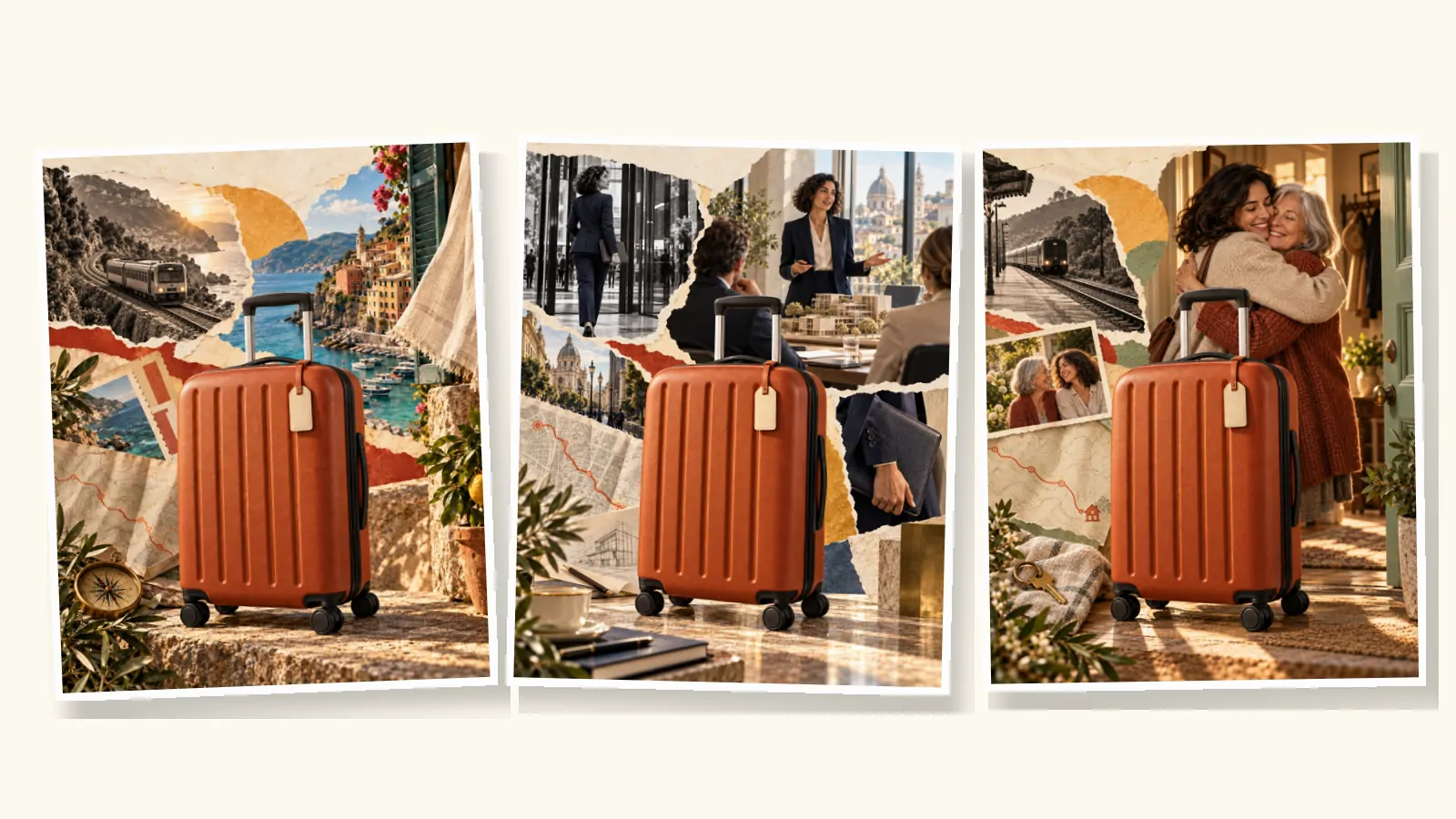
To make a Vox-style video with AI, split the work into the same stages a motion designer would: a script, one collage image per scene, a narration, a music bed, short animated clips and a final edit with typeset labels. AI can do each stage. What it can't do is judge the result, so every stage ends with a person looking at it before the next one starts.
We produced nine Vox-style ads this way while building vox.style. This guide shows the prompts we actually used, quoted from our production notes, the places where AI got things wrong, and the checks that caught them. It assumes you already know what a Vox-style video is.
The pipeline at a glance
| Stage | What AI does | What a person checks |
|---|---|---|
| 1. Brief and script | Drafts lines from a one-sentence brief | Every line has one job; the opening is a question, not a logo |
| 2. Scene plan | Turns lines into scene descriptions | Each subject the narrator names is visible when it is named |
| 3. Scene images | Generates one finished collage per scene | Text, hands, mechanics, consistency between scenes |
| 4. Voice | Reads the approved script | Pace, pronunciation, tone; no speed changes afterwards |
| 5. Music | Generates an instrumental bed | No voices hidden in the track; it sits under the narration |
| 6. Motion | Animates each image into a short clip | Real movement, rigid objects stay rigid, nothing melts |
| 7. Edit | Assembles clips, labels and sound | Labels inside the safe area; the video works muted |
The order matters because each stage is cheaper than the next. Changing a sentence costs nothing; changing an image costs one generation; changing an animated clip means generating it again. Approve each stage before you pay for the one after it.
1. Brief and script
Start with one sentence that says what the video should make someone feel or understand. Our bicycle ad started from "Let's make you care about this old bike." The telescope ad started from "Make a telescope feel like a ticket out of the city."
When we ask a language model for a draft, the prompt carries the brief, the length, the structure and the voice. This is a template based on how we work, not a magic formula:
Write a 60-second voice-over script (130 to 150 words) for a Vox-style video.
Brief: [one sentence].
Audience: [who will watch, where, with or without sound].
Structure: a question or doubt in the first 5 seconds, a quick proof, a change of angle, the main point, three short benefits, one call to action.
Voice: conversational, direct, short sentences, no jargon.
For each line, suggest one on-screen label of two to six words.
If you are still looking for a subject, our 20 Vox-style video ideas each come with a hook and a scene outline. Then rewrite the draft yourself. The drafts are usually too long and too polite. Our Vox-style script guide explains the six beats and has timed templates.
2. Plan the scenes around the narration
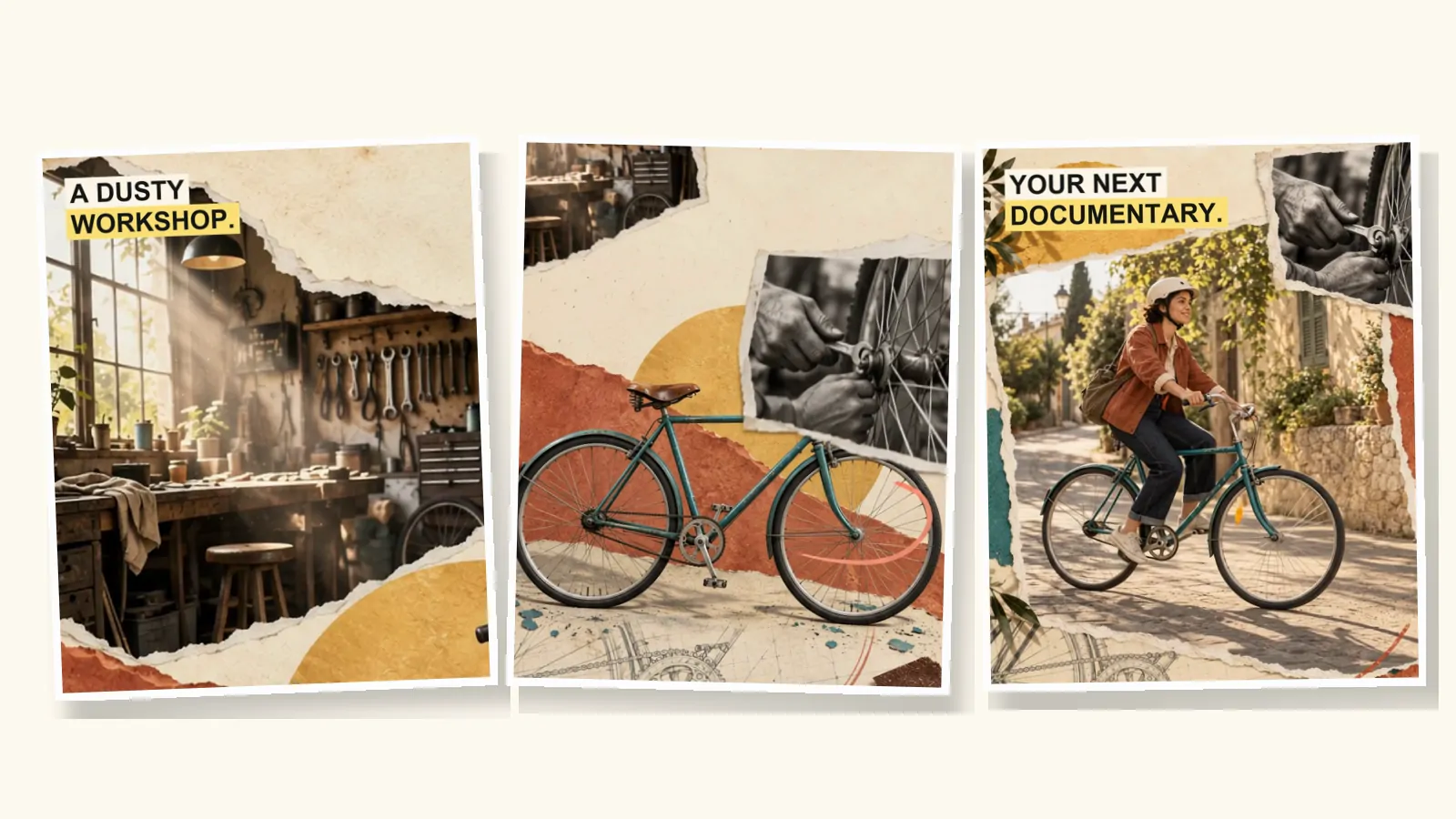
Give each line one visual idea, and list what the narrator names. Our bicycle plan read like this: "A scratched frame" means the paint on the top tube must be visible; "a dusty workshop" means the workshop window; "the first ride" needs a new riding scene, not a zoom on a parked bike.
You don't need one image per line. A detailed collage can hold several narration targets, and the edit can cut into each one. Our 74-second suitcase ad has 40 shots, cut from three scene images. Our 60-second bicycle ad has 22 shots from five.
3. Prompt the scene images
This is where most of the look is decided. Our image prompts are long, often 300 words or more, because a vague prompt gets a generic collage. Each one has the same five parts. Here they are, quoted from the opening scene of the bicycle ad.
- The job of the image. "A photographic editorial collage that makes a forgotten old bicycle feel like the beginning of a human story."
- The subject, described physically. "Vintage teal steel diamond-frame city bicycle, scratched and dusty but repairable, black worn tires, silver spokes, gently swept silver handlebars, aged honey-brown leather saddle." The same description is repeated in every later prompt, so the bike stays the same bike.
- The world and its materials. "Warm ivory archival paper… a substantial ochre-yellow printed circle and a broad diagonally torn rust/coral paper shape." Materials define the style more reliably than the words "Vox style".
- Composition and safe areas. "Natural quiet cream paper in top 10-22% region for later exact headline overlay; never draw a blank box or placeholder." We plan where the label will go before the image exists.
- What must not appear. "No text of any kind. No letters, logos, branding, labels, digits, watermarks." Generated lettering is almost always wrong, so every word on screen is typeset later.
For people and products that recur, use the first approved image as a reference for the next ones. In the bicycle ad, the rider first appears in the third image, and that image is the reference for the two scenes after it.
Fix one thing at a time
Our first repair image looked right at a glance, but the single-speed bike had grown a stack of rear gears. Rather than regenerate the whole scene, we asked for one targeted edit:
Edit reference 1 (repair collage) with ONE focused mechanical continuity correction… Replace the multiple stacked toothed gears visible behind the right mechanic hand with ONE small single-speed rear sprocket… Remove all extra cassette gears entirely… All other pixels and editorial details should remain as close as possible.
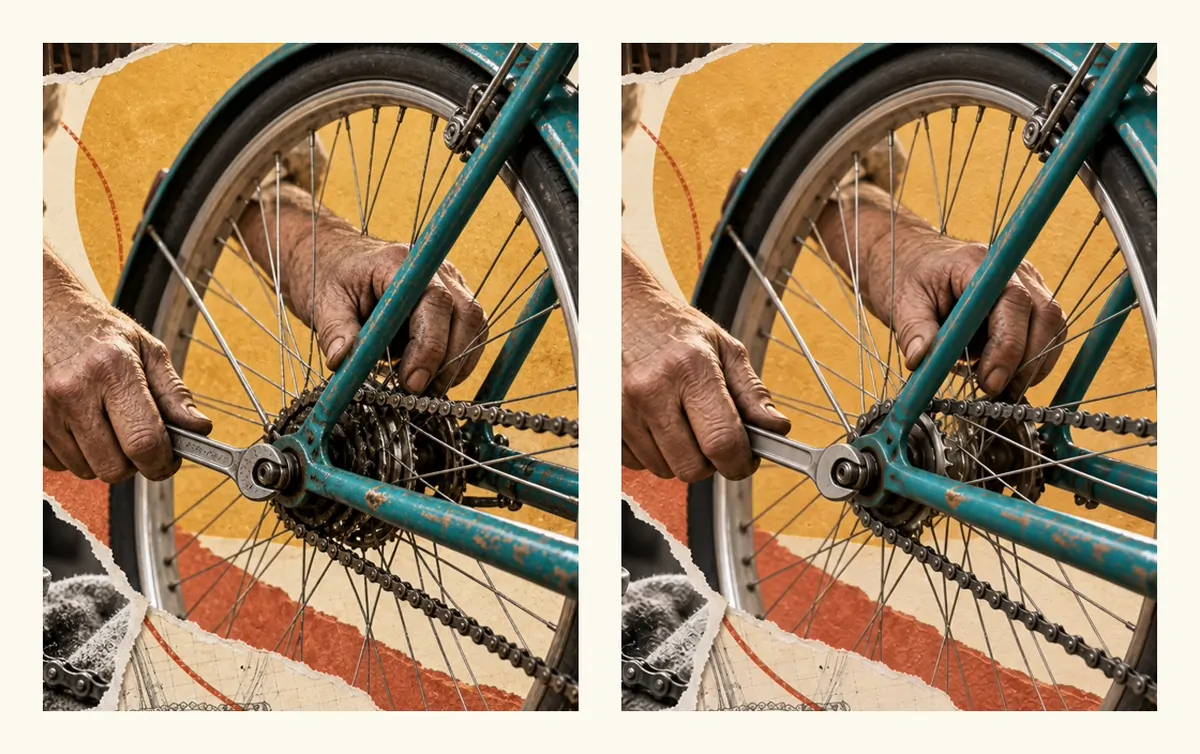
Name the reference, the single change, and everything that must stay. Edits that try to fix three things usually break a fourth.
Watch for style drift
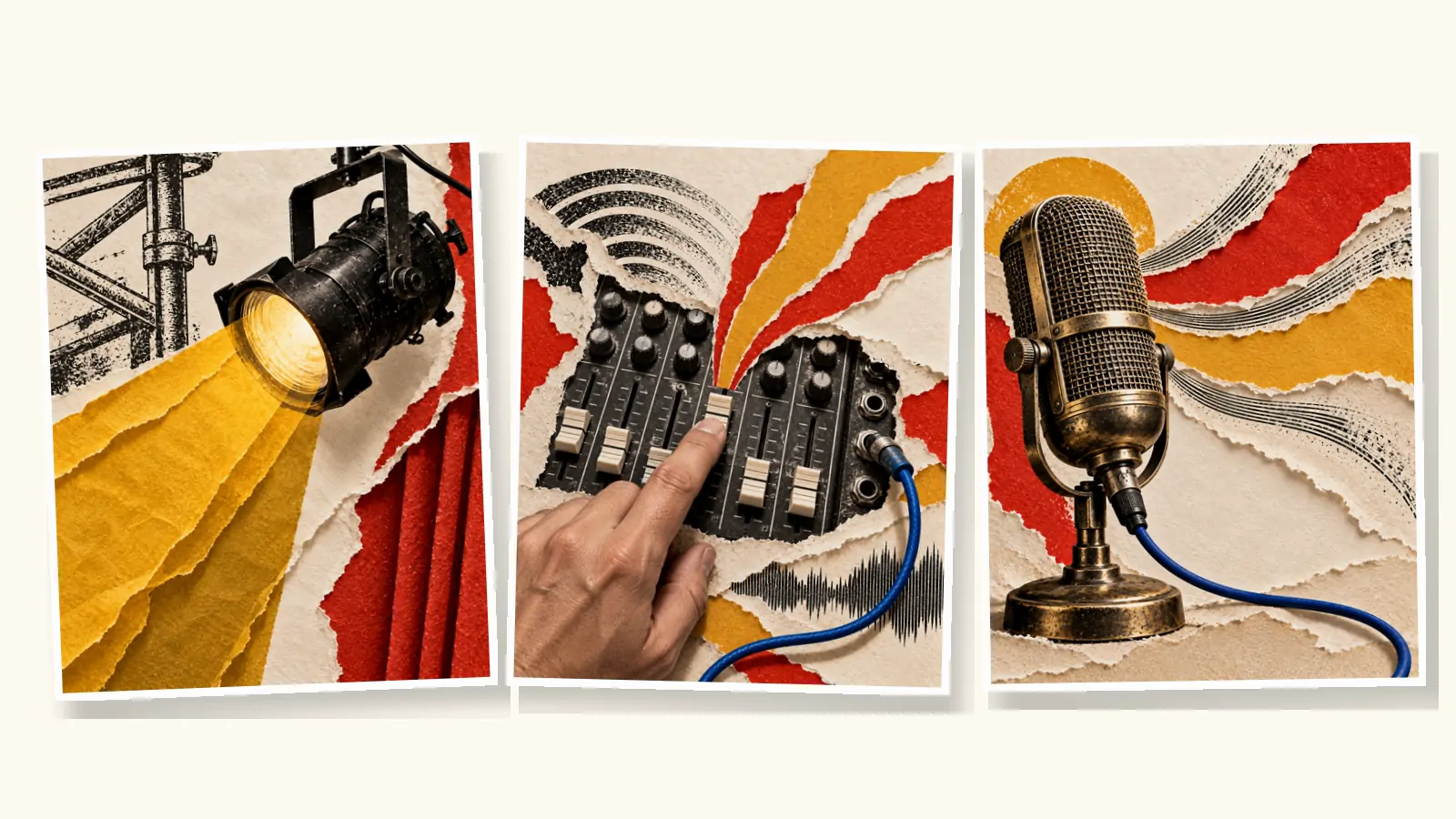
AI images drift toward photorealism unless you hold them to a material. Our first batch for a music venue ad came back as polished photographs: good images, wrong film. We threw the batch away and restarted from a written direction: "warm cotton paper, dimensional torn edges, photographic cutouts, charcoal engravings, vermilion, mustard and restrained cobalt."
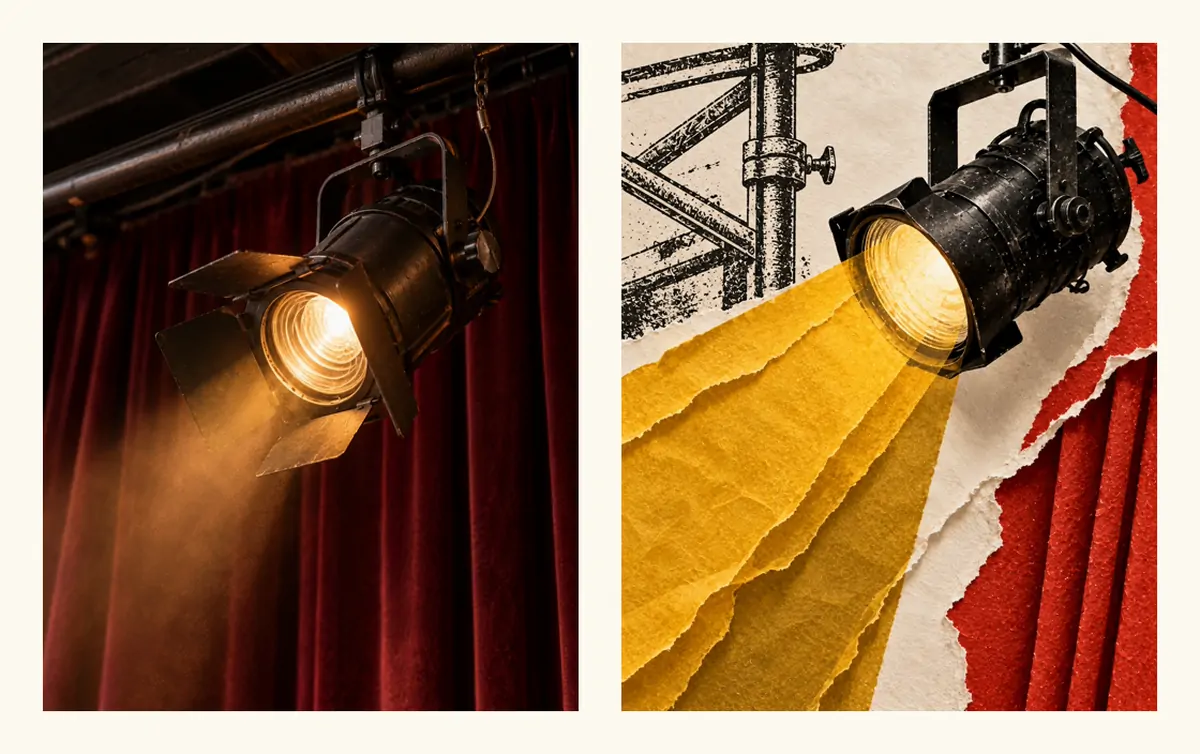
Lay all the images out side by side before you approve any of them. Drift is obvious in a row and invisible one image at a time.
4. Direct the voice
Audition a voice on a short passage before recording the whole script. Then give the voice model direction the way you would brief a narrator. This is the direction we used for the music venue ad:
Curious, playful dry wit. Warm conversational pace, growing anticipation. Pause before the final line. No singing or music.
Our narrations landed between 147 and 158 words a minute. We never sped up or pitch-shifted a narration to fit the picture; when the timing was wrong, we changed the edit or the script. Listen for names and brand words in particular. In one ad we generated a short patch to fix a single pronunciation rather than re-record everything.
5. Brief the music
Ask for an instrumental bed, and spell out what "instrumental" means. Our brief for the music venue ad said the music "contains no singing, speech, humming, chants, choir, vocal samples, breaths or voice-like textures". We wrote it that strictly because first tracks for two other ads came back with vocals that fought the narrator.
In the mix, the music ducks under the voice. We also leave a short gap in the music before the line that asks "Still watching?", so the question lands in near silence.
6. Animate each scene
We generate six-second clips from the approved images, in two kinds.
- Hold clips use the same image as the first and last frame. Something moves inside the scene: hands, dust, light, a slow camera approach.
- Transition clips start on one scene and end on the next. Paper slides, a shape carries the eye from one image into the other.
A motion prompt says what moves, how far, and what stays rigid. This is the transition from the bicycle repair to the first ride:
Begin on the rear axle and working hands in FIRST_FRAME. A coral paper ribbon sweeps diagonally across as the repair photograph slides back into a smaller inset… Make the connection through circular wheel geometry and moving paper, not a person growing from a hand.
That last sentence matters. Without it, models happily morph one subject into another. Test one clip before animating the rest. Our Vox-style animation tutorial shows four attempts at a single riding shot, including the prompt that produced almost no movement at all.
7. Edit, label and export
Cut to the narration, not to equal scene lengths. Crop into the animated clips to show what is being named at that moment. Remove any audio the animation model generated, so only the approved voice and music remain.
Typeset the labels last, as separate layers: two to six words, heavy uppercase type on a solid highlight, inside the safe area of each format. The Vox-style motion graphics guide covers label timing and the rest of the on-screen vocabulary. Export a caption file with the full narration.
Here is the result of that process for the suitcase ad, which tells three stories with one product.
What automated checks get wrong
We tried AI review on the animated clips, and learned not to trust it on its own. One automated check reported a clearly moving clip as a frozen image. On another clip, an early review praised the stable geometry and missed that almost nothing moved; a person watching at normal speed spotted it at once.
What worked better was simple: watch every clip at full speed, then look at frames sampled every half second for hands, faces, wheels and edges. Automated checks are useful for technical facts such as duration, resolution and loudness. Judging whether a scene works is still a person's job.
Doing it in one place
A tool chain gives you control, but you spend your time moving files between tools and keeping the style consistent. vox.style runs the same stages in one place. You start with an idea, your own script or a product URL, shape the script, choose a voice, and review the scene images before the full video is made. You see the exact credit cost before you confirm. The cost guide compares both routes.
Whichever route you take, label AI-generated content where platforms require it. The Vox-style ads guide summarises the current rules.
FAQ
Can AI make a Vox-style video from a single prompt?
It can make something that looks like one. A single prompt rarely produces a video that holds together, because nobody has approved the script, the scene images or the motion along the way. Split the work into stages and review each one.
Which AI tools do I need?
A language model for the script, an image model for the collage scenes, an image-to-video model for motion, a text-to-speech model for narration, a music model or a licensed track, and an editor to assemble it. An AI video maker combines these steps.
How do I keep the same character or product across scenes?
Describe it physically in every prompt, in the same words, and use the first approved image as a reference for the next ones. Review the images side by side before animating.
Why shouldn't the AI put text in the images?
Image models misspell and blur lettering, and baked-in text can't be edited or moved for another format. Ask for no text at all and typeset every label separately.
Is a Vox-style video with AI cheaper than hiring a designer?
Usually, by a wide margin, but only if you count your own review time. Our cost guide compares freelancers, studios, DIY and AI with sources.
The ads and images in this article are illustrative work we produced by hand while building vox.style; the products, people and brands are fictional, and every ad promotes vox.style. vox.style is an independent product, not affiliated with Vox or its owners.